What is AI Traffic?
Artificial intelligence is changing how people search, discover, and evaluate information online. Not gradually. Rapidly. Search engines are no longer the automatic first step for users researching a product, planning a trip, comparing services, or solving a problem. Increasingly, that first step is an AI assistant or a generative model.
Whether someone is asking “What’s the best 5-day itinerary for northern Italy?” or “Which CRM should a small agency start with?”, those questions used to belong to Google. Now they belong to AI-powered discovery tools.
This shift has major implications for visibility, attribution, content strategy, and measurement. Most companies still have no idea how much AI traffic they receive, which pages are being cited by AI models, or whether those visitors are converting.
Tracking AI traffic is no longer an optional upgrade.
It’s a foundational part of understanding how users discover your brand in a world where generative AI model traffic is steadily increasing.
This guide explains how to track AI traffic in Google Analytics, what to look for in the data, and how brands can begin optimizing for AI-driven visibility. It also includes a reusable Looker Studio template that makes the entire process faster and easier.
The structure follows a clear, practical flow so teams can implement everything in less than an hour, without needing deep technical expertise.

Why You Should Care About AI Traffic
AI assistants have quickly become trusted discovery engines. Recent industry studies indicate that users increasingly rely on AI tools to answer questions traditionally directed at search engines. This isn’t a fringe behavior. It’s mainstream and growing.
Instead of typing a Google search like:
“Best cities in Italy for a 5-day trip”
A user now asks an AI model:
“Plan a 5-day itinerary for Italy that includes history, great food, and minimal train transfers.”
The AI model then generates a personalized response and often links to sources. Those links lead to websites. That traffic matters. And its volume is growing month after month.
Our clients are observing a clear trend across accounts: AI-generated traffic is showing up consistently and rising modestly each quarter. Insights pages, destination guides, and long-form educational content often receive the highest lift.
Failing to track AI traffic introduces several risks:
- Brands lose visibility into how people actually discover their content.
- Content teams can’t identify which pages are being surfaced by AI models.
- Marketing teams miss opportunities to optimize for LLM visibility.
- Leadership teams underestimate the impact of AI on search behavior.
Tracking AI traffic allows businesses to see the emerging shift early instead of reacting to it years later when competitors have already adapted.

Before You Start: Get a Ready-to-Use Looker Studio Template for AI Traffic
Before diving into regex patterns, GA4 configuration, and channel grouping, there’s a much easier way to get started.
We’ve created a free Looker Studio report designed specifically for:
- Identifying AI-generated traffic
- Tracking engagement metrics
- Highlighting landing pages surfaced by AI tools
- Monitoring trends in generative AI model traffic
- Consolidating AI referrers into a clean reporting view
It connects directly to any GA4 property and works with retroactive data, which GA4 custom channel groups cannot do.
Download the free report here:
https://orbitlytics.com/seo-report-template/
Many brands use the Looker template as their primary dashboard and then set up GA4 enhancements as a supporting layer. It’s the fastest path to understanding AI-driven visibility without needing to build custom reports from scratch.
If you’re an agency that manages multiple clients or channels, automating parts of your reporting workflow can save dozens of hours each month. Our guide on marketing automation for agencies outlines practical ways to streamline recurring tasks and connect GA4, Looker Studio, and other tools into a smoother system.
[Link: Marketing Automation for Agencies]
How to View AI Traffic in GA4 (Step-by-Step)
Google Analytics 4 doesn’t offer built-in dimensions for AI Traffic or generative AI model traffic. However, GA4 still provides enough tools to identify these sessions accurately if you know where to look.
Below is the process Orbitlytics uses across client accounts.
Step 1: Open Traffic Acquisition
Navigate to Reports → Acquisition → Traffic acquisition.
This report is typically where AI-generated sessions appear. They may show up under:
- referral
- direct
- organic (occasionally)
Step 2: Switch the Primary Dimension
Change the dimension to:
Session source / medium
This exposes the origin of traffic more clearly and makes AI sources measurable.
Step 3: Filter for known AI-generated traffic
AI tools often pass a recognizable referral domain. Some common sources include:
chat.openai.com
copilot.microsoft.com
perplexity.ai
gemini.google.com
claude.ai
writesonic.com
iask.ai
neeva.com
nimble.ai
Use the filter bar and type terms like “ai”, “openai”, “copilot”, or “perplexity”.
Step 4: Use a regex filter for broader coverage
To track AI traffic comprehensively, apply a regex filter that catches multiple AI sources at once.
Example regex pattern:
(aitastic.app|openai|chatgpt|copilot|claude.ai|gemini.google.com|perplexity|writesonic|iask.ai|neeva|nimble.ai)
Update this pattern regularly as new tools enter the market.
Step 5: Review landing pages
Switch the secondary dimension to:
Landing page + query string
This shows which pages generative AI models are recommending.
For example, a travel site might see AI tools linking to:
- “5-day Italy itinerary”
- “Best European cities for solo travel”
- “How to compare flight prices across airlines”
- “What to pack for international travel”
Even without seeing the exact AI query, landing pages reveal clear patterns.

What to Watch For in the Traffic Data
Tracking traffic is only step one. Understanding whether that traffic is valuable is what drives strategic decisions.
Below are the metrics Orbitlytics analyzes when evaluating AI-generated visits.
Engagement Metrics
The best indicators of AI Traffic quality include:
- Engagement rate
- Average session duration
- Engaged sessions per user
- Bounce rate
AI users often demonstrate slightly different behavior patterns:
- Shorter initial scan time
- Stronger engagement when content aligns with their intent
- Higher scroll activity on long-form guides
Generative AI model traffic tends to be mid-funnel or research-driven. Engagement metrics help determine whether those users are qualified.
Top Performing Pages
AI tools commonly surface content that is:
- Informational
- Question-driven
- Structured
- Authoritative
- Practical
- Updated recently
On travel-related websites, these may include:
- Destination guides
- Itinerary articles
- Packing checklists
- “Best time to visit” content
- Comparisons
- How-to guides
Pages with strong information scent tend to perform best in LLM-driven visibility.
Conversions and Goal Completions
One of the most common misconceptions about AI traffic is that it doesn’t convert. However, we’ve seen visitors via AI traffic sources regularly complete:
- Lead forms
- Newsletter sign-ups
- Contact inquiries
- Product research
- Early funnel conversions
AI traffic may not always convert immediately, but these users are often early in their journey and highly intentional.
Comparing conversion rates between AI Traffic and organic search provides useful insight.
Referral Patterns
AI Traffic can create unique referral signatures, including:
chat.openai.com / referral
copilot.microsoft.com / referral
perplexity.ai / referral
gemini.google.com / referral
However, some AI browsers strip referral headers entirely. These sessions appear as direct.
This makes it important to evaluate AI traffic patterns in both:
- Referral
- Direct
Don’t Expect Massive Traffic Just Yet
While AI-generated traffic is steadily increasing, it is not yet at the scale of Google search or social platforms. Most brands will see modest numbers at first:
- Small clusters of referral sessions
- Spikes when AI tools release updates
- Consistent but gradual month-over-month growth
- Strong performance from certain articles
The value isn’t volume. It’s positioning.
Tracking AI Traffic early allows brands to understand the shift before it becomes mainstream. Those insights guide content strategy, measurement, and optimization.
Most importantly, teams prepared for AI-driven discovery now will have a significant competitive advantage when generative search becomes a primary discovery channel.
"According to McKinsey & Company (Aug 2025 survey, n ≈ 1,927 U.S. consumers): ~50% of consumers already use AI-powered search. They estimate that by 2028, $750 billion of consumer spend will flow through AI-powered search."
www.mckinsey.com
Tips for Improving Visibility in LLMs
Once AI Traffic is measurable, improving it becomes an opportunity. LLMs cite and link to content based on clarity, usefulness, authority, and freshness.
Here are strategies that improve visibility in generative AI models.
1. Prioritize question-driven content
LLMs excel at answering questions. Content that clearly addresses user intent performs better than content optimized only for keywords.
2. Provide structured, scannable value
Generative models prefer content that includes:
- Numbered steps
- Definitions
- Frameworks
- Comparisons
- Pros and cons
- How-to sections
- Annotated examples
3. Refresh high-performing pages
Updated content is more likely to be surfaced by AI models.
4. Use schema markup
Structured data helps AI tools understand content context.
5. Include real-world scenarios
Example-based content aligns well with AI responses. For travel brands, examples like:
“Here’s how a traveler can structure a 5-day trip without excessive transfers.”
reinforce authority and usability.
6. Answer broader prompts used in AI tools
Many users ask questions such as:
“How can I identify AI-generated traffic on my website?”
“What tools differentiate human vs AI visitors?”
“What software tracks AI-driven visitors for an e-commerce site?”
Creating content that answers these questions directly strengthens LLM visibility.

Get a Free Google Analytics Looker Report for AI Traffic
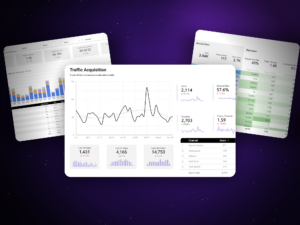
We’ve developed a free Looker Studio template that gives you an immediate view of AI Traffic. It connects to GA4, identifies AI-driven sessions, and organizes insights in a clean, simple dashboard.
Download it here: https://orbitlytics.com/seo-report-template/
The template includes sections for:
- Referral sources
- Engagement metrics
- Landing pages surfaced by AI
- Conversion performance
- Trend lines over time
Brands using this dashboard gain a clear understanding of how they’re being surfaced by generative AI tools and which pages deserve further optimization.
Conclusion
AI is redefining search. Users are increasingly turning to generative AI assistants instead of traditional search engines to plan trips, compare products, research services, and solve problems. This shift will reshape discovery in the years ahead.
Tracking AI Traffic in Google Analytics enables businesses to understand this shift, measure it, and respond strategically. With GA4, custom channel groups, regex matching, and the Orbitlytics Looker Studio template, teams can build a reliable, forward-thinking AI measurement system.
Brands that prepare now will have a significant advantage when AI-generated traffic becomes a dominant channel. This article provides the framework, and the free Orbitlytics template provides a ready-to-use system for seeing AI trends clearly.
Tracking AI traffic is only one piece of your overall analytics foundation. If your team is still building a clean reporting system, our introduction to marketing dashboards provides a clear starting point for understanding how to structure analytics for long-term visibility.
Begin tracking AI Traffic today:
https://orbitlytics.com/seo-report-template/