Key takeaways:
- Free GA4 report templates give you a working shell, but they can’t know your business’s key events, event values, or UTM structure (the parts that make a report actually useful.)
- A report is only as good as four things: defined key events, event values, a consistent UTM structure, and segmentation that matches how you make decisions.
- Templates are a starting point, not a finish line, customization is where the real value shows up.

Search “GA4 report template” and you’ll find a dozen galleries offering the same thing: a pretty Looker Studio (now Data Studio) dashboard, a “connect your data” button, and a promise that your reporting problems are solved. Download it, plug in your GA4 property, and… it still doesn’t tell you anything useful.
That’s not because the template is broken. It’s because a template can’t know how your business makes money. It doesn’t know what a “conversion” means for a home services company versus an ad network versus an ecommerce shop. It doesn’t know which of your 500+ available GA4 dimensions actually matter to you. So it defaults to generic sessions, users, bounce rate, page views and you’re left staring at a dashboard that looks impressive and says almost nothing.
Below is a free GA4 report template to get you started, plus the four things every generic template is missing: the stuff that turns a nice-looking dashboard into something you’d actually make a decision from.
Why Most GA4 Report Templates Fall Flat
GA4 ships with an overwhelming number of dimensions and metrics, and out of the box it tracks almost none of it in a way that’s specific to your business. Free templates make the same tradeoff every time: they have to work for everyone, which means they end up working really well for no one.
The result is a dashboard full of vanity metrics. You can see that you had 4,200 sessions last month. What you can’t see, because the template has no way of knowing this, is which of those sessions turned into a booked estimate, a demo request, or a completed purchase. That gap is where most GA4 reporting efforts quietly die: the report looks done, but nobody’s actually using it to make decisions.
Traffic sources are shifting too as more of your visitors are arriving by way of ChatGPT, Google AI Mode, and other AI answer engines instead of a traditional search click. GA4 alone won’t show you that side of the picture. If you want to see how your business shows up (and gets cited) inside AI search, check out our guide on AI search visibility reporting

What a GA4 Report Should Actually Include
If you’re going to put in the work to customize a report, and you should, here’s where to spend that effort. This is the difference between a template and a reporting system.
1. Key Events, Defined for Your Business
GA4 renamed “conversions” to “key events,” but the bigger issue is that almost nobody redefines them past the defaults. A key event should map to something that actually matters to your revenue: a form submission, a phone click, an add-to-cart, a demo booking — not just “the user did something.”
If you sell services, your key events probably look different from an ecommerce brand’s. If you run a lead-gen site, a form fill and a phone call might both matter, but not equally. Decide what actually counts before you build the report, not after.
2. Event Values, Not Just Event Counts
Once your key events are defined, assign them value. A newsletter signup and a completed purchase should not show up as equally weighted on your dashboard — but in a lot of default reports, they do, because “5 conversions” doesn’t distinguish between the two.
Assigning dollar values (even estimated ones for lead-gen events) turns your report from an activity log into something that can answer “was this worth it?”
3. A UTM Structure That Actually Holds Up
This is the one almost nobody gets right, and it’s the difference between a report you can trust and one you’re constantly second-guessing. If your UTM tagging is inconsistent — different capitalization, missing parameters, campaigns tagged one way in Google Ads and another way in email — your channel and campaign data in GA4 will be fragmented before you ever open a report.
A clean, consistent UTM structure across every channel (paid, organic, email, referral, internal links) is unglamorous work, but it’s the foundation everything else sits on. Get it wrong and no dashboard, template or custom, will save you.
4. Segmentation That Matches How You Actually Make Decisions
Generic templates segment by the defaults: device, geography, source/medium. Useful, but rarely the segmentation that drives your actual decisions. If you’re running multiple properties, brands, or business lines, you need a report that can slice by that — not force you to build five separate dashboards or eyeball combined numbers.

What This Looks Like by Industry
The specifics change depending on what you do, which is exactly why a generic template can only get you so far:
- Marketing agencies managing multiple client accounts need key events and UTM conventions that stay consistent across every client property, so reporting doesn’t turn into a different spreadsheet logic for each one.
- Auto dealerships care less about raw traffic and more about which channels drive VDP (vehicle detail page) views, trade-in tool usage, and appointment requests — events that don’t exist in any default template.
- Home services companies live and die by phone calls and form fills tied to specific service lines, which means key events need to be split by service (HVAC repair vs. installation, for example), not lumped into one generic “contact” event.
Same platform, same underlying data — completely different report once it’s built around how the business actually operates.
A Real Example: Cleaning Up Reporting in GA4
Here’s what customizing a GA4 report actually looks like in practice: Orbitlytics recently rebuilt GA4 reporting for a media/publisher business running Google Analytics 4 across four separate domains. Before the rebuild, their GA4 setup was fragmented enough that pulling a clean, accurate view of performance meant stitching together numbers by hand — a common problem for any multi-domain business using a default GA4 setup.
We consolidated their GA4 tracking under a single measurement ID across all four domains, then built a UTM structure clean enough to reliably tie together their internal ad links (Google Ad Manager data) and their email campaign performance in one place. The result wasn’t a prettier dashboard — it was a dashboard they could actually trust, because the data underneath it was finally consistent.
That’s the part a free template can’t do for you. It can give you the shell. It can’t clean up your tracking or build a UTM taxonomy that matches how your business actually operates.

Get the Free GA4 Report Template
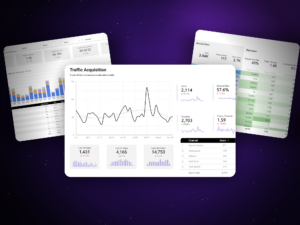
Here’s a Data Studio GA4 report template to start with, a solid base layer covering traffic, engagement, and conversion metrics, built the way we’d hand it to a client on day one.
Connect your GA4 property, and you’ll have a working report in a few minutes. It’ll immediately be more useful than the out-of-the-box GA4 interface.
Templates Get the Wheels Turning. Customization Gets You Answers.
Here’s the thing worth being honest about: there is no such thing as a one-size-fits-all GA4 report. Every free template, ours included, is a starting point, not a finish line. It’s genuinely useful for getting the wheels turning and seeing what’s possible. But the businesses that get real value out of GA4 reporting are the ones who go back in and customize it: key events specific to what they sell, event values that reflect what those events are actually worth, and a UTM structure that ties every channel together cleanly.
If you’d rather not spend the next few weekends figuring out GA4’s 500+ dimensions on your own, that’s exactly what we do — we set it up with you, so you’re not stuck learning another SaaS tool on top of running your business. You get the customized version without the learning curve.
FAQ
What is a GA4 report template? A GA4 report template is a pre-built dashboard (usually in Looker Studio, Google Sheets, or a similar BI tool) that connects to your Google Analytics 4 property and visualizes your data (sessions, users, conversions, traffic sources, and more) without you having to build the report from scratch.
Is the GA4 report template really free? Yes. The template itself is free to download and connect to your own GA4 data. Customization (key events, UTM cleanup, and business-specific segmentation) is where the real work (and value) happens, and that’s what we help with separately.
Do I need a developer to set up a GA4 report template? No. Connecting a Looker Studio template to your GA4 property doesn’t require code. Customizing your GA4 event tracking and UTM structure properly is more involved, but still doesn’t require a developer, just someone who knows GA4 well.